Budget Social Media Tools: Under $20/Month - Complete Guide for Small Businesses
Discover the best budget social media tools under $20/month. Complete comparison of affordable scheduling, analytics, and content creation platforms.

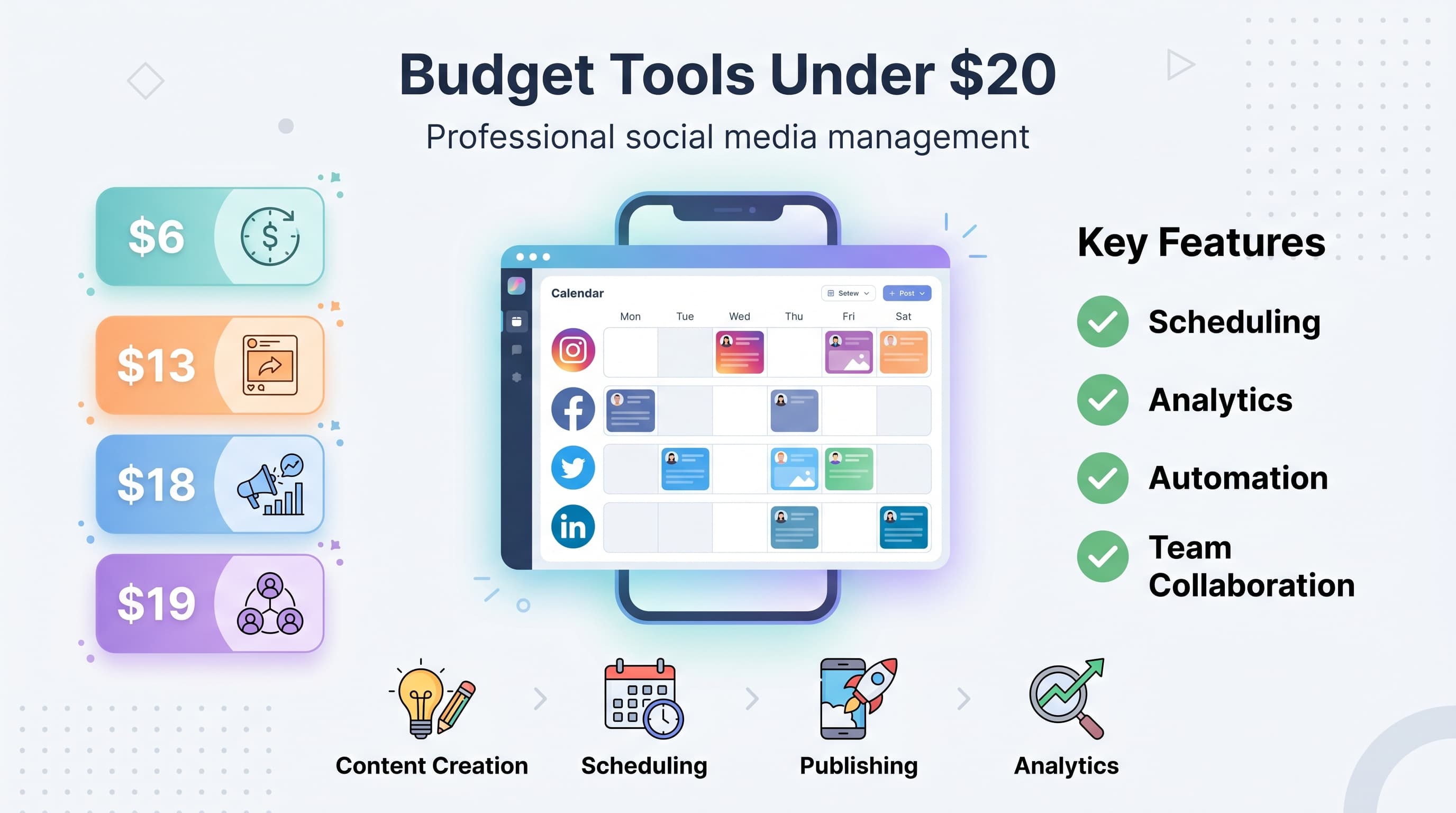
You don't need a massive marketing budget to dominate social media. While big brands throw thousands at premium tools, smart small businesses are crushing it with budget-friendly alternatives that cost less than a dinner for two. See our LinkedIn scheduling guide.
See It in Action
This is what scheduling a LinkedIn post looks like in Schedulala
The social media tool market has exploded with affordable options that pack serious punch. We're talking comprehensive platforms with scheduling, analytics, content creation, and automation features for the price of a Netflix subscription. Ready to discover which budget tools actually deliver results? Learn more about cross-platform analytics track 9.
Try Schedulala for free
Schedule posts to Bluesky, Twitter, and 8 other platforms from one dashboard.
Get started for free→Why budget tools often outperform expensive alternatives
Here's something the big software companies don't want you to know: expensive doesn't always mean better. Many budget social media tools focus on core features that actually move the needle, while premium platforms bloat their offerings with rarely-used extras. Learn more about the best social media.
Budget tools often have cleaner interfaces, faster learning curves, and more responsive customer support because they can't rely on brand recognition alone. They need to earn your business every single month. See our how to repurpose content guide.
The complete list of budget social media tools under $20
1. Buffer Essentials - $6/channel/month
Buffer's entry-level plan remains one of the best deals in social media management. You get scheduling for three social accounts, a content calendar, basic analytics, and their excellent mobile app for just $6 monthly. Learn more about best time to post on linkedin.
What makes Buffer special is its simplicity. The interface feels intuitive from day one, and their browser extension makes sharing content effortless. You can schedule up to 10 posts per account, which covers most small businesses' needs. Learn more about linkedin image size guide.
The analytics aren't groundbreaking, but they cover the basics: reach, engagement, clicks, and follower growth. For solopreneurs and small teams just starting with social media scheduling, Buffer Essentials hits the sweet spot between features and affordability.
2. Later Starter - $18/month
Later built its reputation as the Instagram scheduler, but their $18 Starter plan now covers all major platforms with some unique visual planning features that make content creation actually enjoyable.
The visual content calendar is Later's secret weapon. Instead of boring text lists, you see your posts laid out exactly as they'll appear on your feeds. This visual approach helps maintain brand consistency and spot posting patterns that might look repetitive.
Later also includes basic video editing tools, caption suggestions powered by AI, and a media library that automatically tags your content. The hashtag suggestions are surprisingly good, drawing from a database of trending and niche-specific tags.
One standout feature: Later's Link in Bio tool is included even on the starter plan. You can create a clickable landing page for your Instagram bio links without paying extra for third-party services.
3. Hootsuite Professional - $19/month
Hootsuite Professional at $19 monthly gives you the power of enterprise-level social media management without the enterprise price tag. You can manage 10 social accounts and schedule unlimited posts across all major platforms.
The dashboard approach sets Hootsuite apart. Instead of jumping between different views, you see streams of all your social accounts in one place. This makes community management and real-time engagement much more efficient.
Hootsuite's analytics dig deeper than most budget tools. You get audience insights, optimal posting times based on your actual engagement data, and competitor tracking. The reports look professional enough to share with clients or stakeholders.
The learning curve is steeper than simpler tools, but Hootsuite Academy offers free certification courses that turn the complexity into a competitive advantage.
4. Planoly Personal - $13/month
Planoly started as an Instagram-focused tool but has evolved into a comprehensive visual social media planner for $13 monthly. If your brand relies heavily on visual content, Planoly's approach feels more natural than text-heavy alternatives.
The drag-and-drop content calendar mirrors Instagram's grid layout, so you can plan your feed's overall aesthetic weeks in advance. This visual planning prevents the common mistake of posting great individual images that look disjointed together.
Planoly includes basic photo editing tools built into the platform. You can crop, adjust brightness and contrast, and apply filters without jumping to external apps. The editing isn't Photoshop-level, but it handles 80% of typical social media image adjustments.
The analytics focus on visual content performance, showing which image styles, colors, and compositions drive the most engagement. This data helps refine your visual strategy over time.
5. SocialBee Startup - $19/month
SocialBee takes a different approach at $19 monthly by organizing your content into categories that automatically cycle through your posting schedule. This prevents the feast-or-famine posting patterns that plague many small businesses.
Instead of scheduling individual posts, you create content buckets like 'Industry News,' 'Behind the Scenes,' and 'Product Features.' SocialBee then automatically pulls from these categories based on your preferred posting mix.
This category system shines for businesses that struggle with content consistency. You can batch-create posts during productive periods, then let SocialBee maintain a steady posting schedule even during busy weeks.
SocialBee also includes RSS feed integration, so you can automatically share industry news and blog posts. The content curation features help fill your content calendar with relevant third-party content that adds value for your audience.
6. Sprout Social Standard - $19/month per user
Sprout Social's Standard plan costs $19 per user monthly but delivers enterprise-level features that justify the price. The unified inbox alone saves hours by consolidating all social messages, comments, and mentions in one place.
The Smart Inbox uses AI to prioritize messages that need immediate attention, like customer complaints or sales inquiries. You'll never miss an important interaction buried in a flood of likes and casual comments.
Sprout's analytics are comprehensive without being overwhelming. The reports clearly show which content drives business results, not just vanity metrics. You can track hashtag performance, optimal posting times, and audience demographics across all platforms.
Team collaboration features make Sprout ideal for growing businesses. Multiple team members can collaborate on posts, approve content, and assign social media tasks without stepping on each other's toes.
7. CoSchedule Social Calendar - $19/month
CoSchedule Social Calendar integrates social media planning with your overall marketing calendar for $19 monthly. If you're juggling blog posts, email campaigns, and social media, this unified approach prevents scheduling conflicts and gaps.
The ReQueue feature automatically fills gaps in your posting schedule by recycling your best-performing content. Instead of manual reposting, ReQueue identifies posts with high engagement and strategically reshares them to new audience segments.
Social templates streamline content creation for recurring post types. You can create templates for product launches, blog promotion, and weekly themes, then quickly customize them with new content instead of starting from scratch.
The marketing calendar view shows how social posts align with other marketing activities. This bird's-eye view helps identify opportunities to amplify campaigns across channels and avoid message conflicts.
8. Sendible Creator - $19/month
Sendible Creator offers white-label social media management for $19 monthly, making it perfect for agencies and freelancers who need to present professional-looking reports and dashboards to clients.
The content suggestions feature uses AI to recommend posts based on your industry and audience interests. While not perfect, it provides solid starting points during creative blocks and helps maintain consistent posting when you're swamped with client work.
Sendible's strength lies in automation. You can set up rules that automatically engage with specific hashtags, respond to mentions with templated messages, and cross-post content between platforms with platform-specific optimizations.
The reporting dashboard creates client-ready reports with your branding. Clients see professional analytics presentations without knowing you're using a budget tool behind the scenes.
9. MeetEdgar Lite - $19/month
MeetEdgar Lite revolutionizes content recycling for $19 monthly by treating your social media library as an evergreen content asset rather than one-time posts that disappear into the timeline void.
The category-based scheduling system never leaves your calendar empty. Once you've built a content library, Edgar continuously reshares your posts on a schedule you define, ensuring your best content reaches new followers who missed it the first time.
Content variations help prevent repetitive posting. Edgar can automatically create multiple versions of the same message, changing hashtags, calls-to-action, or phrasing to keep recycled content fresh.
This approach works especially well for evergreen content like tips, quotes, and educational posts that remain relevant over time. Your content investment pays dividends for months instead of generating value for just a few hours.
10. Crowdfire Plus - $9.99/month
Crowdfire Plus delivers impressive value at $9.99 monthly by combining social media scheduling with content curation and basic graphic design tools. It's like getting three different services for the price of one budget tool.
The content curation engine monitors RSS feeds, news sources, and trending topics in your industry, then suggests relevant articles and posts to share. This feature alone can fill 50% of your content calendar with valuable third-party content.
Built-in image creation tools use templates and stock photos to generate social media graphics. While the designs won't win awards, they look professional and maintain brand consistency across platforms.
Crowdfire's audience insights help identify the best times to post and which content types resonate with your followers. The recommendations improve as the AI learns from your posting history and engagement patterns.
Budget-friendly content creation tools
Great social media management means nothing without compelling content. These budget-friendly creation tools complement your scheduling platform without breaking the bank.
Canva Pro - $12.99/month
Canva Pro transforms anyone into a competent graphic designer for $12.99 monthly. The premium version unlocks brand kits, background remover, resize magic, and access to millions of premium stock photos and elements.
Brand Kit ensures visual consistency by storing your brand colors, fonts, and logos in one place. Every design automatically has access to your brand elements, preventing the inconsistent look that screams 'amateur hour.'
The Magic Resize feature adapts any design to different social platform dimensions instantly. Create one Instagram post and transform it into Facebook, Twitter, LinkedIn, and Pinterest formats with a single click.
Unsplash+ - $10/month
Unsplash+ gives you unlimited downloads of premium stock photos for $10 monthly. While free stock photos exist, premium images help your content stand out in crowded social feeds.
The advanced search filters help find specific image styles, orientations, and subjects that match your brand aesthetic. You can also exclude overused images that appear in every other brand's social feed.
Loom Starter - $8/month
Video content drives 1200% more shares than text and images combined, and Loom Starter makes video creation accessible for $8 monthly. Screen recording, webcam recording, and basic editing tools turn anyone into a video content creator.
The automatic transcription feature creates captions for accessibility and silent viewing. You can also extract key quotes from videos to create complementary text posts that extend your content's reach.
Analytics tools that won't drain your budget
Measuring social media ROI doesn't require expensive enterprise analytics platforms. These budget-friendly tools provide actionable insights without overwhelming complexity.
Google Analytics 4 - Free
GA4 tracks social media traffic and conversions completely free. Set up UTM parameters on social media links to see which platforms and posts drive actual website visits and sales.
The Acquisition reports show exactly how social media visitors behave compared to other traffic sources. You can identify which platforms send engaged visitors who explore multiple pages versus those who bounce immediately.
Social commerce tracking reveals the customer journey from social media click to purchase. This data helps optimize your social strategy around business results rather than vanity metrics.
Facebook Analytics - Free
Facebook's native analytics provide deep insights into your audience demographics, posting times, and content performance at zero cost. The data often surpasses what you get from premium third-party tools.
Audience insights reveal detailed demographics, interests, and behaviors of your followers. This information helps create content that resonates and identify similar audiences for targeted advertising.
Content performance metrics show which post types, topics, and formats generate the most engagement. Use this data to double down on what works and eliminate content that falls flat.
Twitter Analytics - Free
Twitter's built-in analytics dashboard tracks impressions, engagement rates, and follower growth completely free. The monthly summary emails provide quick performance overviews without logging into another platform.
Tweet activity metrics identify your most successful content themes and posting times. The data helps refine your Twitter strategy based on actual performance rather than assumptions.
Instagram Insights - Free
Instagram Insights (available with business accounts) provides comprehensive analytics for free. Story insights, post performance, and audience activity data help optimize your Instagram strategy.
The reach and impressions data shows how many unique accounts see your content versus total views. This distinction helps identify whether you're reaching new audiences or just engaging the same followers repeatedly.
How to choose the right budget tool for your needs
The best budget social media tool depends on your specific situation, not universal rankings. Consider these factors when evaluating options:
Team size and collaboration needs
Solo entrepreneurs can thrive with simple tools like Buffer Essentials or Planoly Personal. Multiple team members need collaboration features, approval workflows, and user permission controls found in tools like Sprout Social or Hootsuite.
Client work requires white-label reporting and branded dashboards. Sendible Creator and CoSchedule Social Calendar excel in this area, while personal tools like Later might look unprofessional in client presentations.
Platform priorities
Instagram-heavy brands benefit from visual planning tools like Later or Planoly. B2B companies focusing on LinkedIn need tools with robust LinkedIn support like Hootsuite or Sprout Social.
Emerging platforms like TikTok and Pinterest require tools that adapt quickly to new features. Established platforms tend to support new networks faster than smaller alternatives.
Content volume and posting frequency
Light posting schedules (1-3 posts per day) work well with basic tools like Buffer Essentials. Heavy content creators need unlimited scheduling and robust content libraries found in tools like MeetEdgar or SocialBee.
Batch content creators who work in concentrated bursts prefer tools with strong scheduling and automation features. Daily content creators might prioritize mobile apps and quick posting capabilities.
Analytics and reporting requirements
Basic metrics like reach and engagement satisfy most small businesses. Client work or detailed optimization requires comprehensive analytics with custom reporting features.
Competitor analysis and industry benchmarking need advanced analytics capabilities that budget tools rarely include. Consider combining basic tools with free platform analytics for complete insights.
| Tool | Price | Best For | Key Feature |
|---|---|---|---|
| Buffer Essentials | $6/mo | Beginners | Simple scheduling |
| Later Starter | $18/mo | Visual brands | Content calendar |
| Hootsuite Pro | $19/mo | Growing teams | Dashboard view |
| Planoly Personal | $13/mo | Instagram focus | Grid planning |
| SocialBee Startup | $19/mo | Content consistency | Category scheduling |
| Sprout Social | $19/mo | Customer service | Unified inbox |
| CoSchedule Social | $19/mo | Marketing integration | Campaign calendar |
| Sendible Creator | $19/mo | Agency work | White-label reports |
| MeetEdgar Lite | $19/mo | Content recycling | Evergreen posts |
| Crowdfire Plus | $9.99/mo | All-in-one value | Content curation |
Common mistakes when choosing budget tools
Avoid these expensive mistakes that force businesses to switch tools and lose valuable time:
- Choosing based on price alone - The cheapest tool costs more if it can't handle your needs
- Ignoring platform limitations - Some budget tools support fewer platforms or have posting restrictions
- Overlooking team features - Growing businesses quickly outgrow single-user tools
- Skipping the trial period - Every tool feels different in practice than in marketing videos
- Not considering integration needs - Your social tool should work with your existing marketing stack
- Focusing on features over workflow - The most feature-rich tool is useless if it doesn't fit your process
Free tools worth considering
Sometimes the best budget is zero dollars. These free tools handle basic social media management for micro-businesses and solopreneurs:
Native platform schedulers
Facebook Creator Studio, Instagram's built-in scheduler, and LinkedIn's native publishing tools provide basic scheduling capabilities at zero cost. The interfaces aren't as polished as dedicated tools, but they get the job done.
Native schedulers often get new platform features first since they're developed by the same companies. You won't wait months for third-party tools to support new content formats or features.
Buffer Free
Buffer's free plan allows 3 social accounts with 10 scheduled posts per account. Perfect for testing social media scheduling before committing to paid tools.
Hootsuite Free
Hootsuite's free tier supports 2 social accounts with 5 scheduled posts. Limited but functional for very light social media needs.
Making the most of budget tools
Budget tools can punch above their weight with the right strategies. Here's how to maximize value from affordable social media platforms:
Master keyboard shortcuts and automation
Every budget tool includes time-saving shortcuts and automation features that most users ignore. Spend 30 minutes learning these efficiency tricks to work faster than premium tool users who rely on brute force clicking.
Set up posting templates for recurring content types. Whether it's weekly tips, product spotlights, or behind-the-scenes posts, templates ensure consistency and speed up content creation.
Combine free and paid tools strategically
Use your budget tool for scheduling and basic analytics, then supplement with free platform analytics for deeper insights. Google Analytics handles conversion tracking while native platform analytics provide audience demographics.
Create content in free tools like Canva (basic plan) or GIMP, then use your paid tool purely for scheduling and management. This division of labor maximizes your budget's impact.
Focus on evergreen content systems
Build content libraries that work for months, not days. Create evergreen tips, quotes, and educational content that remains valuable over time. Tools like MeetEdgar and SocialBee excel at recycling this content automatically.
Batch content creation during productive periods, then let automation maintain your posting schedule during busy times. This approach prevents the inconsistent posting that kills social media growth.
Budget tool limitations to understand
Budget tools make compromises to hit low price points. Understanding these limitations helps set realistic expectations and avoid frustrating surprises:
- Customer support response times - Budget tools often have slower support responses than premium alternatives
- Advanced analytics limitations - Detailed competitor analysis and advanced metrics require more expensive tools
- Integration restrictions - Fewer third-party integrations limit workflow automation possibilities
- User limits - Growing teams quickly hit user restrictions that force expensive upgrades
- Platform feature delays - New social platform features take longer to appear in budget tools
- Export capabilities - Limited data export options make switching tools more difficult
Try Schedulala for free
Schedule posts to Bluesky, Twitter, and 8 other platforms from one dashboard.
Get started for free→