Social Media Content Approval: Tools, Workflows & Tips That Actually Work
Build a social media content approval process that doesn't slow your team down. Tools, workflows, and mistakes to avoid.

Someone on your team posted the wrong pricing in an Instagram caption. Or a client tweet went live with a typo in their own company name. Or worse, a post got approved by one manager, then got pulled down two hours later because a different manager hated it. If any of this sounds familiar, your content approval process isn't a process. It's a guessing game. Try our Instagram scheduling.
See It in Action
This is what scheduling an Instagram post looks like in Schedulala
Social media content approval is the step between "draft created" and "post published" where someone with authority actually looks at the thing before it goes out into the world. It sounds basic. Most teams still get it wrong, usually because they're approving content over Slack threads, email chains, or a shared Google Doc that three people forgot to check. This guide covers how to fix that: the workflows that work, the tools that support them, and the mistakes that quietly sabotage teams who think they already have this figured out. Our content calendar can help.
Try Schedulala for free
Schedule posts to Bluesky, Twitter, and 8 other platforms from one dashboard.
Get started for free→Why content approval breaks down in the first place
1. Approval lives in too many places
A caption gets drafted in a Google Doc, the image gets approved in Slack, and the final go-ahead happens in a text message. Nobody can trace what was actually approved, which means nobody is accountable when something goes wrong. If you can't point to a single thread showing who signed off on a post, you don't have an approval process, you have a rumor. See our scheduling across platforms guide.
2. Too many approvers, not enough clarity
Agencies and marketing teams often route content through a chain: writer, designer, account manager, client. Each person assumes someone else already checked the facts. The result is content that gets a lot of eyeballs on it and somehow still has errors, because everyone thought review was someone else's job. Our content calendar can help.
3. No deadline pressure until it's too late
A post scheduled for Tuesday at 9am sits in someone's approval queue since Thursday. Nobody notices until Monday night, when the scramble starts. Without a built-in deadline or reminder system, approval queues become where content goes to die, right up until it's an emergency. Learn more about best time to post on instagram.
4. Approval and scheduling are two separate tools
This is the one that really gets teams. If approval happens in one app and scheduling happens in another, someone has to manually copy the approved content over. That's an extra step where mistakes creep in, like copying the wrong version of a caption or forgetting to update a swapped image. See our instagram character counter guide.
What a working approval workflow actually looks like
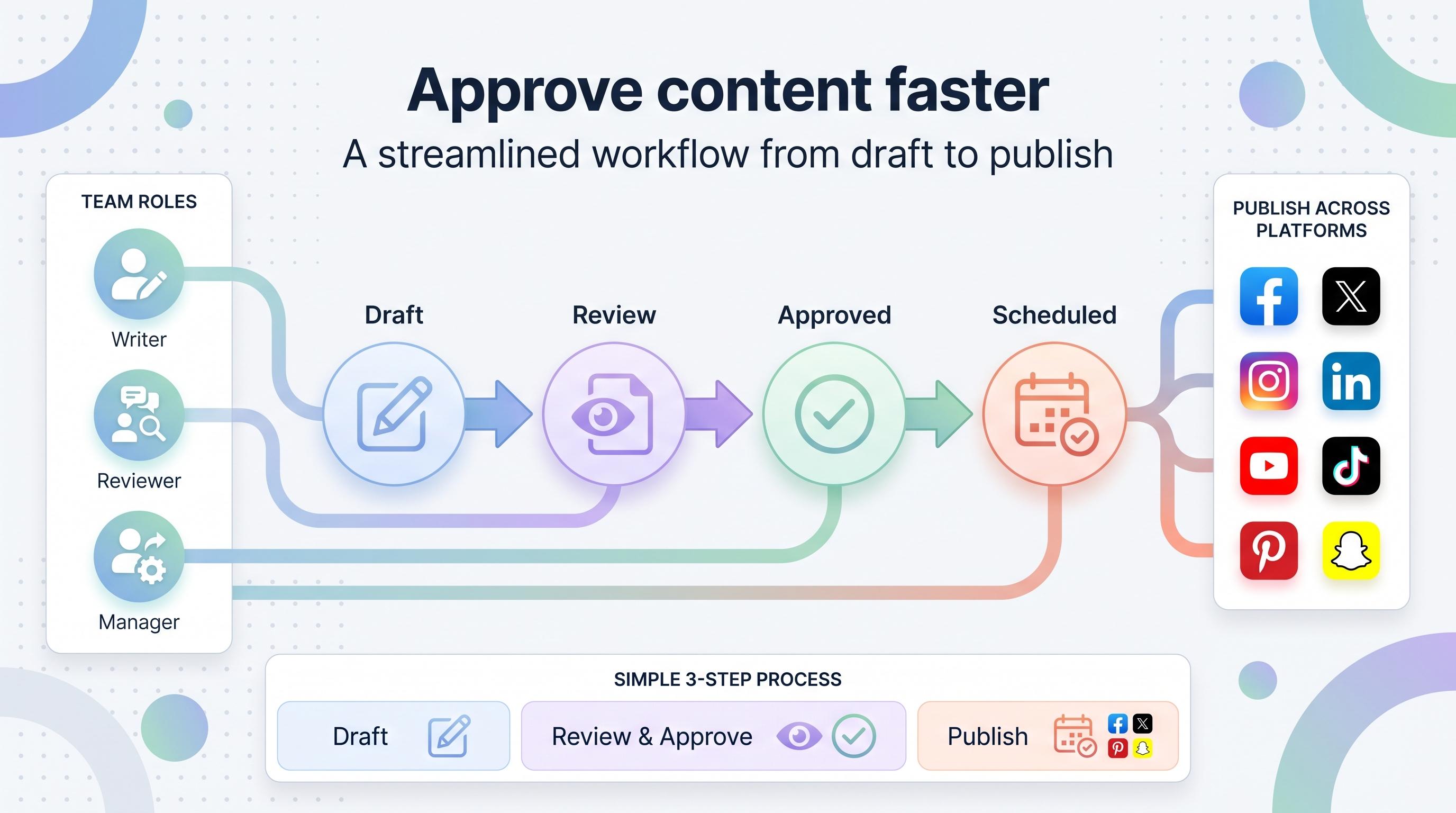
A good approval process isn't about adding more steps. It's about making the steps you already have visible, trackable, and fast. Here's the structure that works for most teams, from solo freelancers managing a couple of clients to agencies running dozens of accounts.
1. One source of truth for drafts
Every post, caption, image, and scheduled time should live in a single tool that everyone on the approval chain can access. Not a shared doc that someone forgot to update. Not a folder of screenshots. One place. This is the single biggest fix for content approval chaos, and it's also the hardest one for teams to actually do, because it means giving up the comfort of "I'll just send it in Slack."
2. A defined approver (or approvers) for each account
Name the person. Not "the marketing team," not "whoever sees it first." If a client account needs sign-off from both the account manager and the client, say so explicitly and build that into your workflow. Ambiguity is where approval breaks down fastest.
3. Status visibility without asking
Anyone involved should be able to glance at a post and know instantly whether it's a draft, pending approval, approved, or scheduled. If your team has to ask "hey, did you approve the Tuesday post?" in a group chat, your tooling is failing you.
4. A built-in buffer before publish time
Posts shouldn't be approved five minutes before they go live. Build in at least 24 to 48 hours of buffer between "approved" and "published" so there's room to catch something, pause a post if news breaks, or adjust timing. This buffer is what separates teams that catch mistakes from teams that apologize for them publicly.
Tools for social media content approval
There's no shortage of tools claiming to solve this. Some are project management apps bent into shape for content review. Others are built specifically for social content from the ground up. Here's how the main categories stack up.
| Approach | How it works | Where it falls short |
|---|---|---|
| Slack/email threads | Share drafts, get a thumbs-up reply | No audit trail, easy to lose track, no connection to scheduling |
| Shared docs/spreadsheets | List posts and dates, add approval columns | Manual, no media preview, doesn't catch formatting issues |
| General project management tools | Use tasks and comments to track review | Not built for post previews, captions, or platform-specific formatting |
| Dedicated scheduling platforms with approval built in | Draft, review, approve, and schedule in one workflow | Requires picking the right platform for your account volume |
The common thread with the first three approaches: they treat approval as a separate activity from scheduling. That's the root problem. Approval should happen right next to the actual post preview, formatted the way it'll actually appear on Instagram or LinkedIn, with the real scheduled time attached to it. Anything else introduces a gap where miscommunication lives.
Schedulala builds content approval directly into the scheduling workflow across all 12 supported platforms: Instagram, TikTok, Twitter/X, LinkedIn, YouTube, Facebook, Threads, Bluesky, Pinterest, Telegram, Mastodon, and Google Business Profile. A post gets drafted, previewed exactly as it will appear on the platform, routed to the right approver, and once it's signed off, it's already scheduled. No copying content between tools, no separate approval app, no lost threads.
Step-by-step: building your approval process
1. Map out who touches content, in order
Write down every person who needs eyes on a post before it goes live. Writer, designer, brand lead, legal (if you're in a regulated industry), client. Put them in order. If two people can review at the same time instead of sequentially, note that too, since parallel review is faster than making everyone wait in line.
2. Set a realistic turnaround time per step
Give each reviewer a window, like 24 hours, to approve or reject. If they miss it, decide in advance what happens: escalate to someone else, auto-remind them, or push the post date. Don't leave this undefined, because undefined turnaround is how posts sit for a week.
3. Build your content calendar around approval time, not just posting time
If your full approval chain takes three business days, your content calendar needs to reflect that. Draft content at least that far ahead of the scheduled post date. Teams that plan content a day before it's due are the ones skipping approval steps under pressure.
4. Use one tool for drafting, review, and scheduling
This is the step that makes everything above actually work in practice instead of just on paper. When drafting, approval, and scheduling live in the same platform, there's no handoff point where content can get lost or altered without anyone noticing.
5. Review the workflow itself every quarter
Approval workflows go stale. A reviewer leaves the company, a client changes who signs off, a new platform gets added to the mix. Set a recurring calendar reminder to check whether your approval chain still matches reality. If you've added TikTok or Threads to your mix since you built the workflow, make sure someone's actually reviewing content for those platforms specifically, not just rubber-stamping it because it "looks like the Instagram post."
Common mistakes teams make with content approval
- Approving the caption but not the image (or vice versa). Both need sign-off together, since a great caption paired with the wrong graphic is still a bad post.
- Letting one person become a bottleneck. If every single post needs the CEO's approval, you've built a system that can't scale past one person's calendar. Define which post types actually need top-level review and which don't.
- No process for urgent or reactive content. Breaking news, trending topics, and real-time replies need a fast-track approval path, otherwise your team will just skip approval entirely when speed matters, which defeats the purpose.
- Treating client approval as optional for internal accounts. Even your own brand's social accounts benefit from a second set of eyes before anything controversial, political, or legally sensitive goes out.
- Approving content in a format different from how it'll actually post. Reviewing a caption in a spreadsheet doesn't catch character limit issues, broken hashtags, or how a carousel will actually crop on mobile. Preview it the way your audience will see it.
Approval workflows for different team sizes
A solo creator managing their own brand doesn't need the same approval structure as a 10-person agency juggling client accounts. Scale the process to match your actual risk and volume.
If you're a solo operator or small team, your version of "approval" might just be a 24-hour buffer between drafting and publishing, giving yourself time to catch a typo with fresh eyes the next morning. That's legitimate. Not every workflow needs multiple reviewers.
Mid-size marketing teams typically need two layers: a content lead who reviews for brand voice and accuracy, and a final check before anything client-facing or high-stakes goes out. This is usually where the Team-level plans on scheduling platforms come into play, since you need multiple people with access to the same accounts and the same approval queue.
Agencies managing multiple client accounts need the most structure: per-client approval chains, client-facing review access so the client can sign off themselves, and clear audit trails showing exactly who approved what and when. This matters not just for quality control but for covering yourself if a client claims they never saw a post before it went live.
Pricing and plans to think about
Whatever tool you pick for approval and scheduling, think about how it scales with your account count, not just your team size. Schedulala's plans are structured around social accounts rather than seats: Personal at $29/month covers 10 social accounts, Team at $49/month covers 25, and Agency at $99/month covers 100. Those accounts can be used in any combination: all Instagram, a spread across all 12 supported platforms, or anything in between. Annual billing on any plan gets you two months free. Every plan includes unlimited scheduled posts, so you're never rationing how much content goes through your approval pipeline.
There's a 7-day free trial if you want to test an approval workflow with your actual team before committing. A card is required to start the trial, so go in with a real plan to test, not just a quick look around.
Make approval part of the workflow, not a roadblock to it
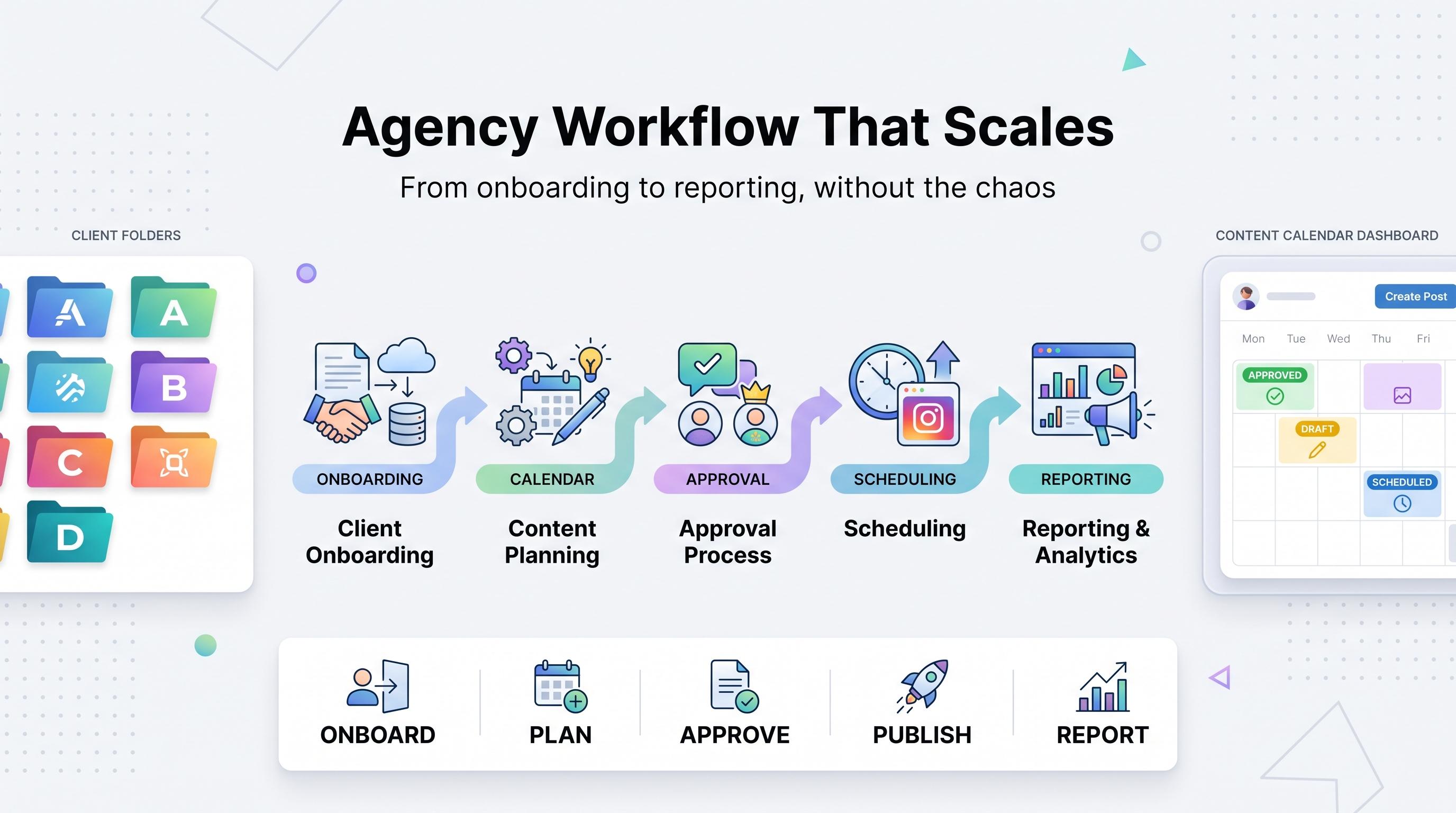
The goal of a content approval process isn't to slow everything down. It's to make sure the right people see the right content before it's public, without turning every post into a week-long negotiation. Teams that get this right have one shared source of truth, clear names attached to each approval step, visible status at a glance, and tools that connect drafting straight through to publishing.
Try Schedulala for free
Schedule posts to Bluesky, Twitter, and 8 other platforms from one dashboard.
Get started for free→